
Playing New and Old Supertips
Every tip a viewer sends is queued on the Creator Dashboard Panel, ready for you to play on your stream. This article covers playing brand-new tips from the Unplayed queue and replaying tips from the Played queue.
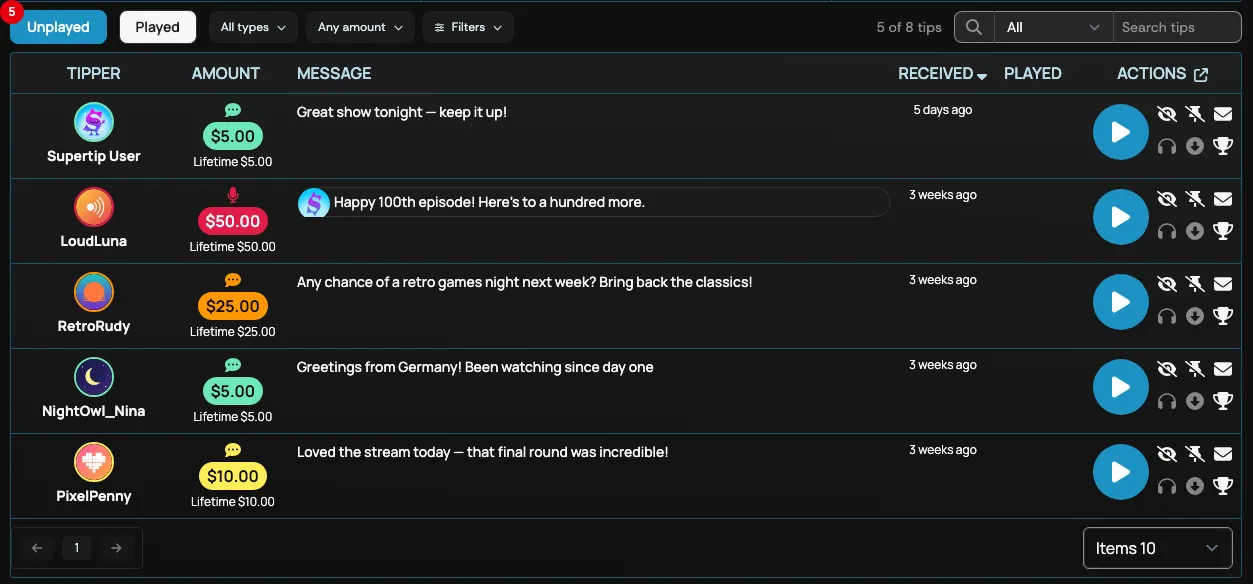
Tips that have not been played yet appear in the Unplayed queue. Once you play a tip — or mark it as read — it moves to the Played queue.
Playing new Supertips
Section titled “Playing new Supertips”When viewers submit a tip, it appears on the Creator Dashboard under Unplayed.
To play a new tip:
- Select the Unplayed button.
- Select the Play button next to the Supertip you want to play.
- The tip launches in the player at the top of the Dashboard Panel screen and plays for viewers through your overlay.
Playing old Supertips
Section titled “Playing old Supertips”Tips that have already been played — or marked as read — appear in the Played queue. You can replay any of them at any time.
To replay a past tip:
- Select the Played button.
- Select the Play button next to the tip you want to play.
- The tip launches in the player at the top of the Dashboard Panel screen and plays for viewers through your stream overlay.