Profile Information
The My Supertip screen is where you manage your Supertip profile and your show settings. This article covers editing your profile information.
Open My Supertip
Section titled “Open My Supertip”To open My Supertip, select your avatar image in the top right corner of the screen, then select My Supertip.
Edit your profile information
Section titled “Edit your profile information”Use the following settings to update your profile information:
- Display Name — the name shown when you tip on other shows. Up to 64 characters.
- Email Address — an email address Supertip can use for support and important notifications.
- Profile Image — select the profile image (or drag a new image onto it) to upload a new Supertip profile avatar. Images up to 5MB in JPG, PNG, WebP, AVIF, or GIF format are supported, and are cropped to 500 x 500 pixels.
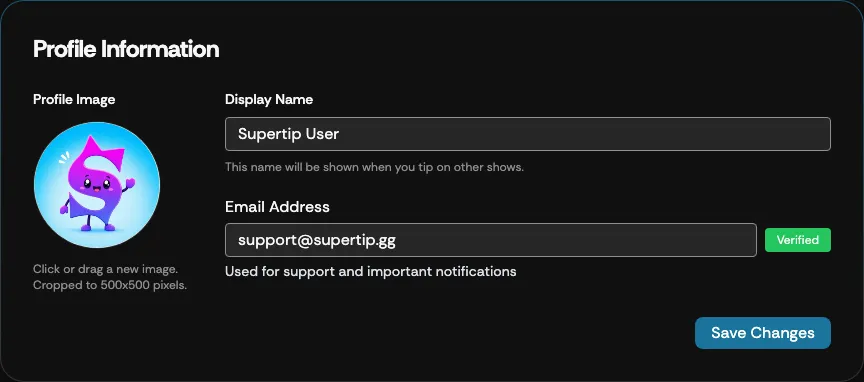
When you are finished, select Save Changes to apply your updated display name and email address. The profile image is applied as soon as you confirm the crop — it does not need a separate save.
Verifying your email address
Section titled “Verifying your email address”Select Verify next to the email field to send a verification link to your address; a green Verified badge appears once it is confirmed.
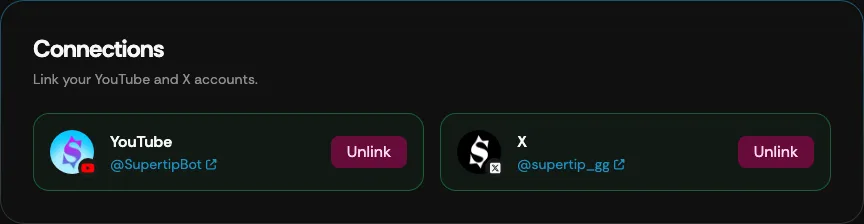
Connections
Section titled “Connections”The Connections section lets you link your YouTube and X accounts to your Supertip account. Select Connect to link an account through its sign-in; linked accounts can then be used to sign in to Supertip, and each shows the linked username with an Unlink action to remove it.